Getting Started
Install The Isle: Evrima
To get The Isle: Evrima on PC, you buy The Isle on Steam, then opt into the Evrima public beta branch — Evrima is the actively-supported development version of the game. The whole process takes a few minutes plus Steam download time.
- 01Get The Isle on Steam
Buy The Isle on Steam (or open it from your library if you already own it). The base purchase covers both Evrima and Legacy — there's no separate purchase for the Evrima branch.
- 02Open your Steam Library
Launch the Steam client and click Library.
- 03Open The Isle's Properties
Right-click The Isle in your library and select Properties.
- 04Go to the Betas tab
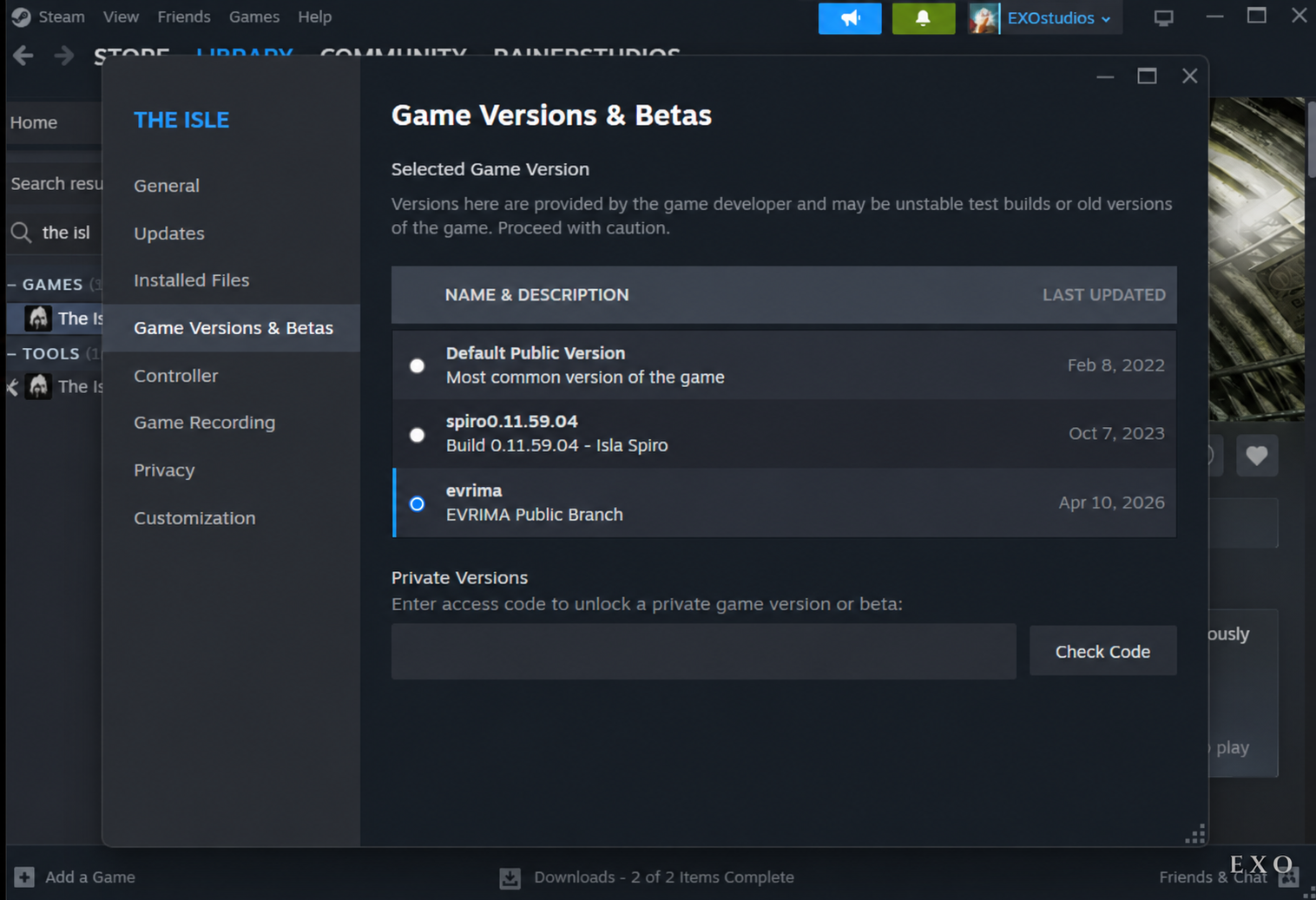
In the Properties panel, click Betas (newer Steam may show this as 'Game Versions & Betas').
- 05Switch to the Evrima branch
Find the Beta Participation (or 'Selected Game Version') dropdown. Change it from None to evrima — EVRIMA Public Branch.
- 06Let Steam update
Close the Properties window. Steam will automatically begin downloading the necessary Evrima update files.
- 07Launch the game
Once the download completes, click Play. You're now running The Isle: Evrima.
Switching back to Legacy
If you ever need to switch back to the older version, repeat the steps above and select None (or Legacy) from the dropdown. Steam will roll the install back to the Legacy build.
Now what?
- • Browse the dinosaur roster to pick a starter species.
- • See our featured community server for a friendly place to play with active staff and custom progression.