
Server Browser
Play on Unofficial Servers
Unofficial servers are community-run private servers — usually with active staff, custom rules, and tighter-knit player bases than the chaotic officials. To join one, you set the Session Filter to Unofficial in the in-game browser and search by name. Whole process takes under a minute once you know where to click.
- 01Make sure you're on the Evrima branch
Unofficial servers run on the Evrima public branch, not Legacy. If you haven't switched yet, follow our install & branch-switch guide first — then come back.
- 02Launch The Isle and click Play
From the main menu, click Play to open the server browser.
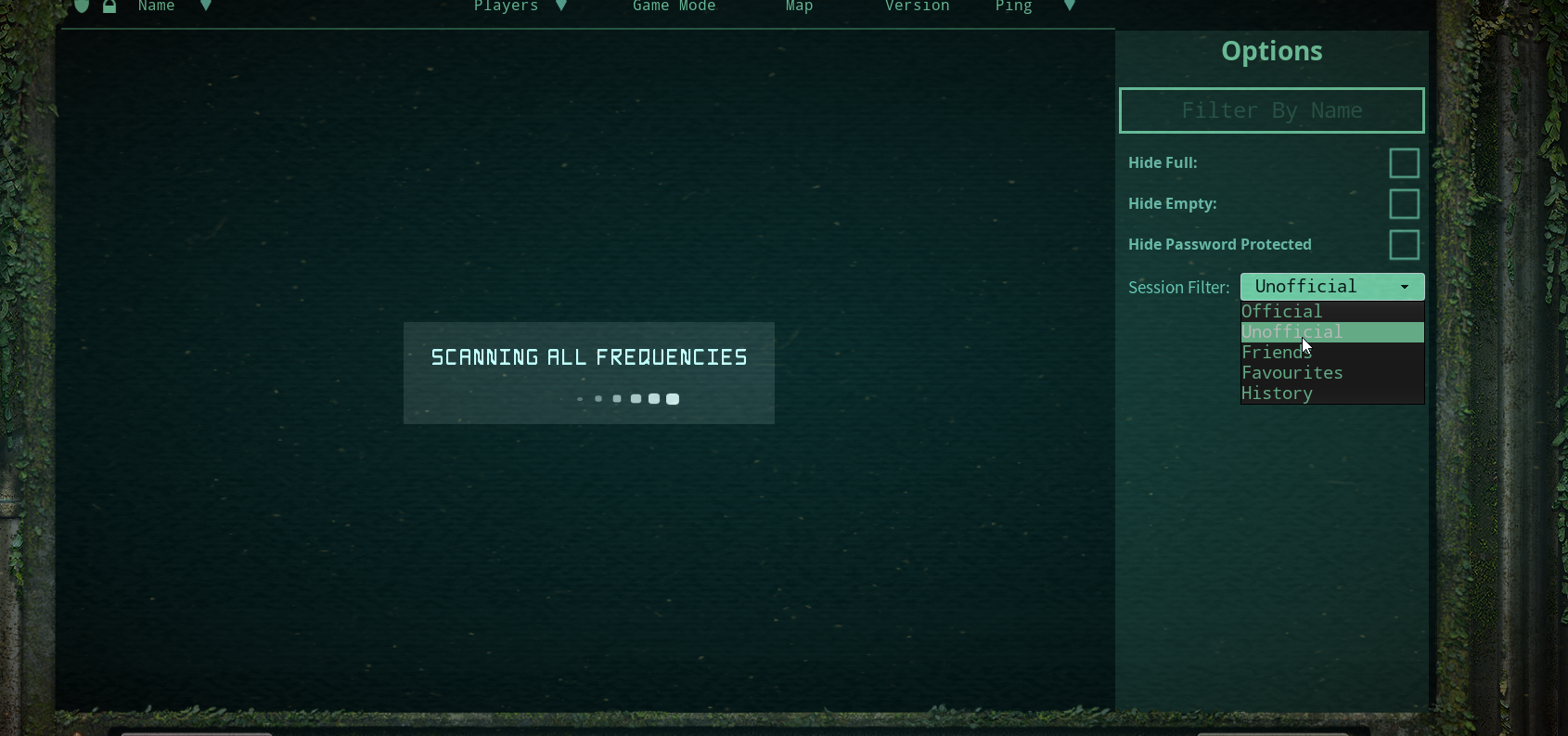
- 03Set the Session Filter to Unofficial
At the top of the server browser, find the Session Filter dropdown. Switch it from Official to Unofficial. The list will repopulate with community-run servers.
- 04Search by name
Type the exact server name into the Filter By Name field. Partial matches usually work, but the closer to exact, the better — popular names get cloned by lookalike servers.
- 05Refresh the list
Click the Refresh button in the bottom-right of the browser. Empty result? Wait a few seconds and refresh again — the list sometimes takes a beat to populate.
- 06Select the server and click Connect
Click the server's row to highlight it, then click Connect. You'll spawn in the lobby / character-select flow.
- 07Server full? Hold there and keep refreshing
Popular servers fill up fast. Leave the server highlighted and hammer the Refresh button — the moment a slot opens you can press Connect again.
Alternative — Steam server browser
If the in-game browser keeps coming up empty, you can use Steam's built-in server browser to favorite a server and join from there.
- 1. Open the Steam desktop client.
- 2. In the top menu bar, click View → Game Servers.
- 3. Set the game filter to The Isle and click Refresh.
- 4. Find the server in the list, right-click it, and select Add server to favorites.
- 5. Launch The Isle, go to the Favorites tab — your saved server will be there to connect from.
Heads up: not every Isle server publishes a Steam A2S query port, so some unofficial servers won't appear in this list. If yours doesn't, stick with the in-game browser.
Quick tips
- • Spell-check the name. A single missing character will drop the server out of the search.
- • Refresh often when full. Slots free constantly — keep tapping Refresh and Connect.
- • Check the server's Discord first. Most communities post downtime, patch wipes, and queue rules there.
- • Verify your game files (Steam → Properties → Installed Files) if the server browser comes up totally blank — a bad install can hide all servers.
Looking for a server?
- • See our featured community server — active staff, custom progression, proximity voice.
- • Browse the dinosaur roster so you know what you want to play once you're in.